
NetPulse
Game ping monitor
Live ping, jitter and packet loss while you play. See if it's Wi-Fi or your ISP.
Screenshots
Inside NetPulse
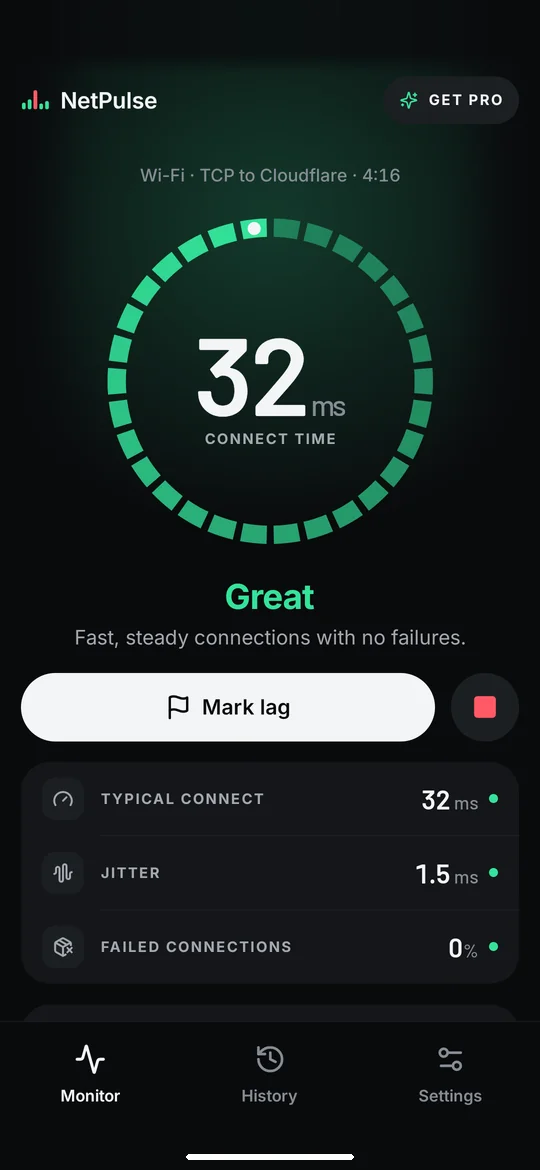
Know your connection, live
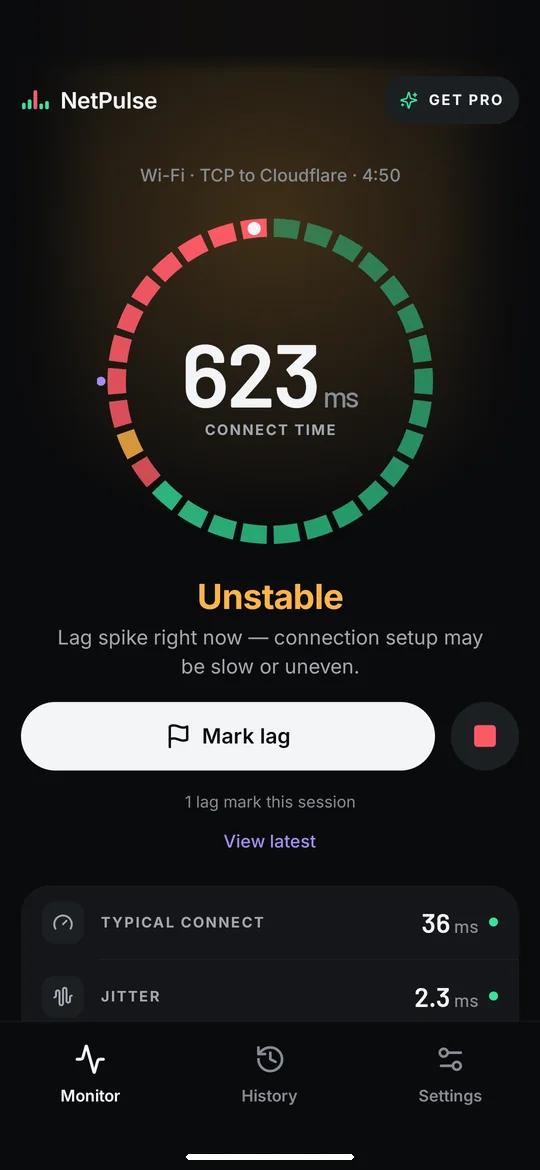
Lag hit? Mark it
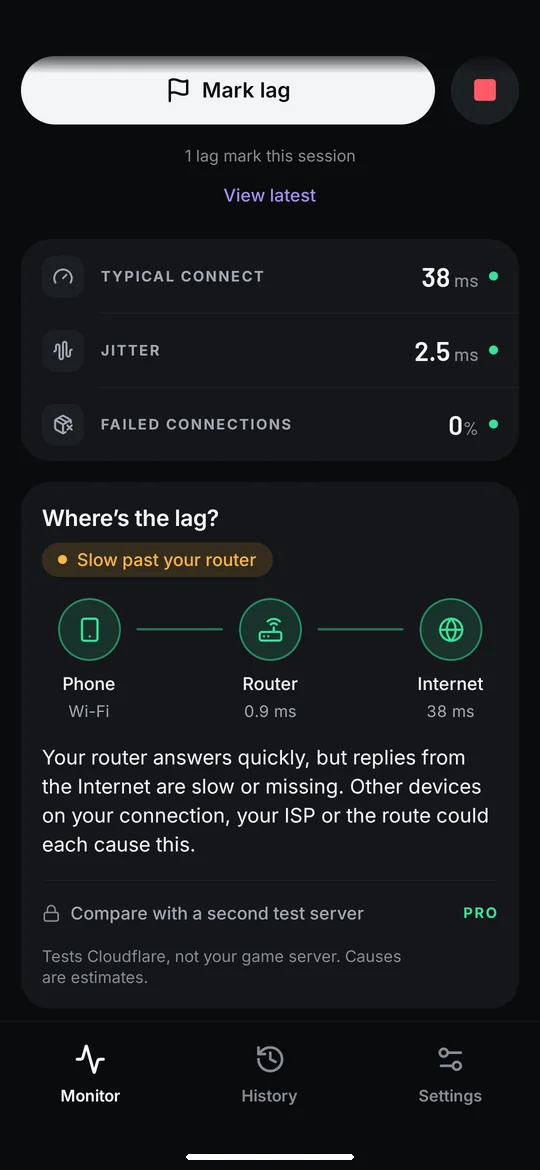
Wi-Fi or your ISP?
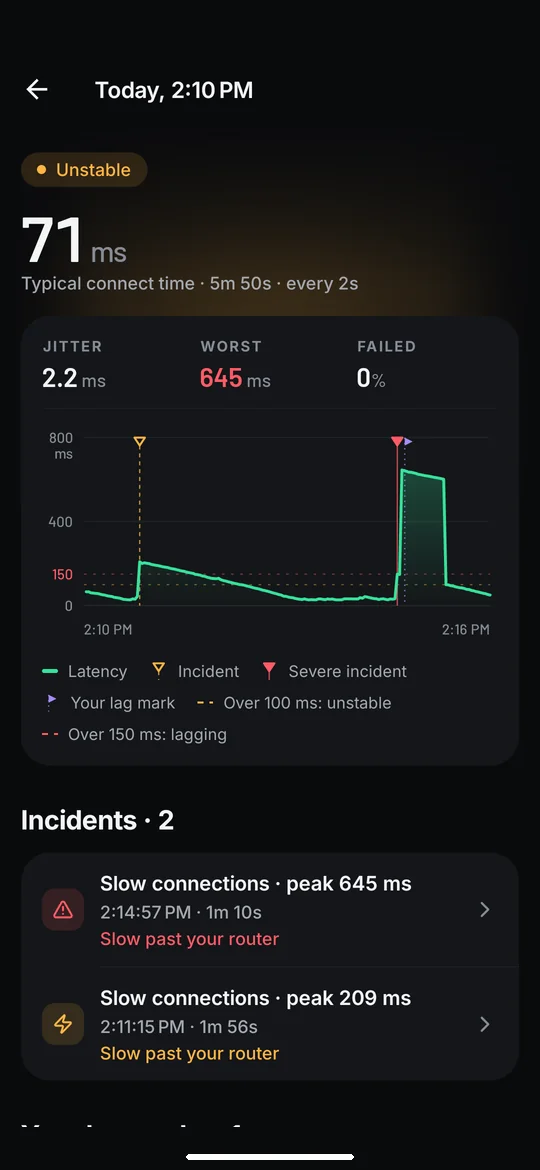
Every session, saved
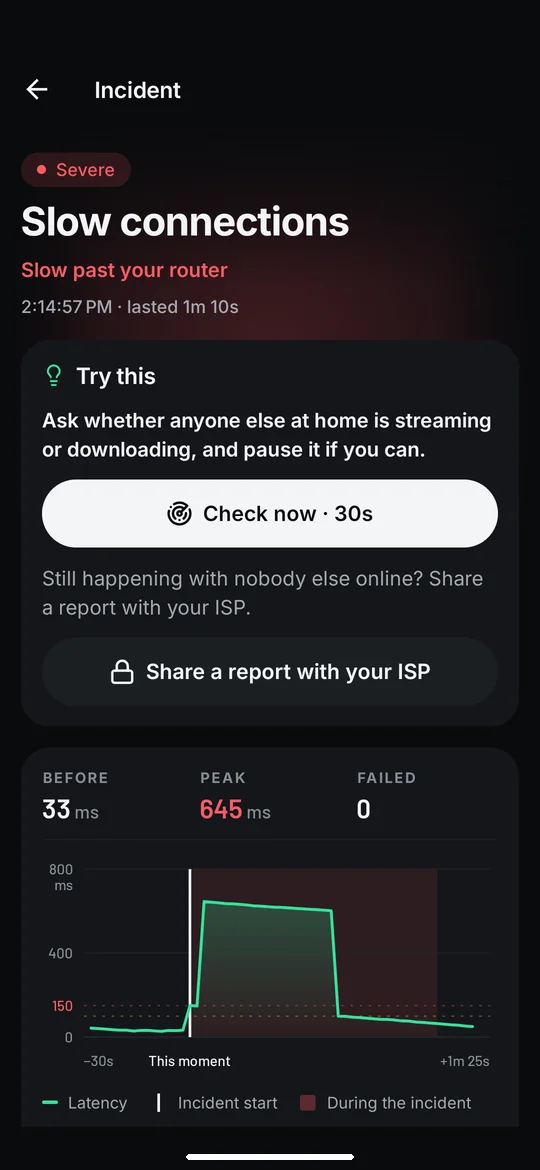
See what happened
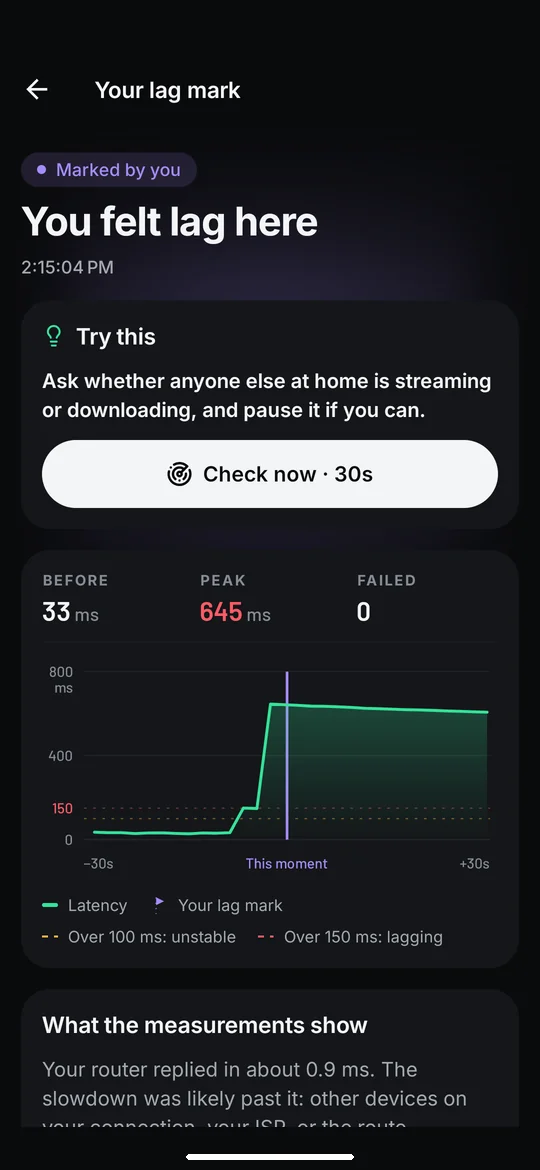
Was it really your network?
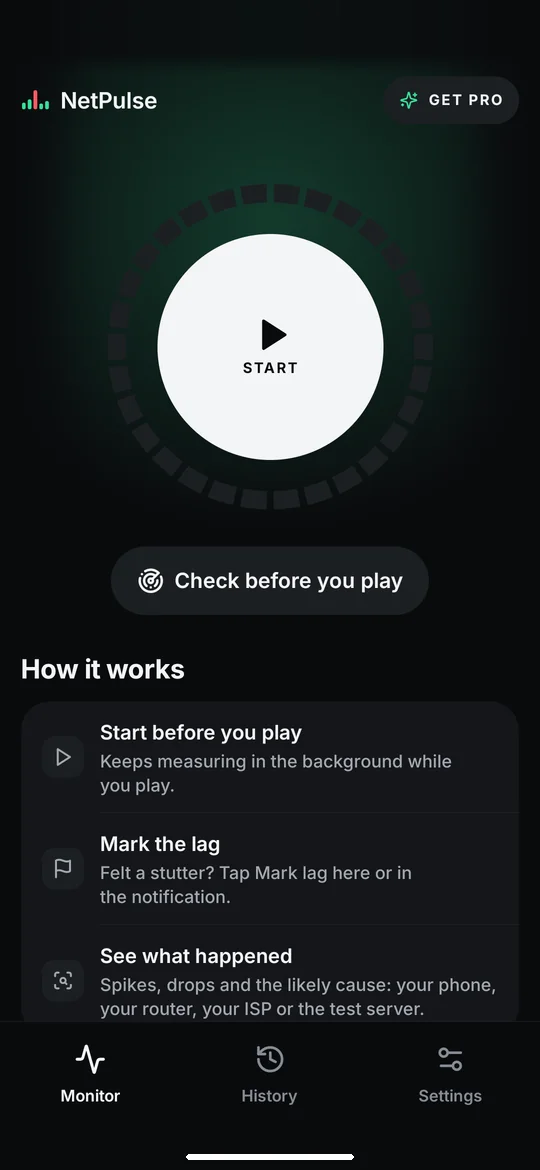
Start before you play
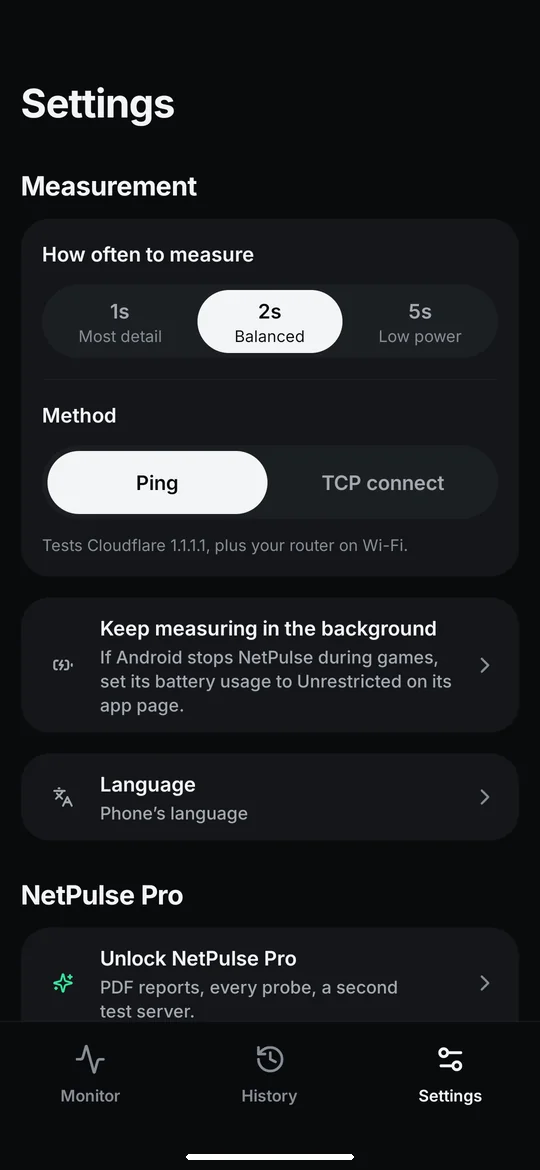
Choose how often to measure
About
Lag in the middle of a match? NetPulse watches your connection while you play and shows you what happened, and where.
Start NetPulse before your game. It measures every few seconds in the background, with a quiet notification that lets you stop or mark lag without leaving the game.
What you see
- Live ping, jitter and packet loss, graded from Great to Lagging
- A one-minute pulse ring: every probe, coloured by how it went
- Automatic incidents for sustained spikes, dropped replies and disconnects
- Where's the lag? Phone → router → Internet, so you can tell a Wi-Fi or router problem from an ISP or route problem
- Session history with a latency chart, incidents and network changes
Felt lag? Mark it
Tap Mark lag in the app or in the notification. NetPulse keeps the 30 seconds before and after, so you can see whether your connection really spiked, or whether the lag came from somewhere else.
Honest measurements
NetPulse tests Cloudflare (1.1.1.1) and your router, not your game server. Missing time is shown as a gap and never counted as packet loss. Causes are shown as likely, never certain. If ping (ICMP) is blocked on your network, switch to TCP connect in Settings.
Private by design
No account, no ads, no analytics, no cloud. Your history stays on your phone. The only traffic NetPulse sends is its tiny diagnostic probes.
NetPulse Pro: one payment, no subscription
- Compare with a second Internet endpoint (Google 8.8.8.8)
- See every probe around each incident
- Keep your history with no time limit (Free keeps 7 days)
- Export CSV and PDF reports, handy to send to your ISP
Good to know: Android may pause background work during deep sleep or battery saving. NetPulse shows that time as a gap. NetPulse measures your connection; it doesn't make it faster.